Store Mini · sales on Android
Small shop.
Everything for a sale.
A simple checkout for everyday work. Add items, complete the sale and print a receipt. The daily total is on the owner's tablet.
Phone · tablet · POS terminal
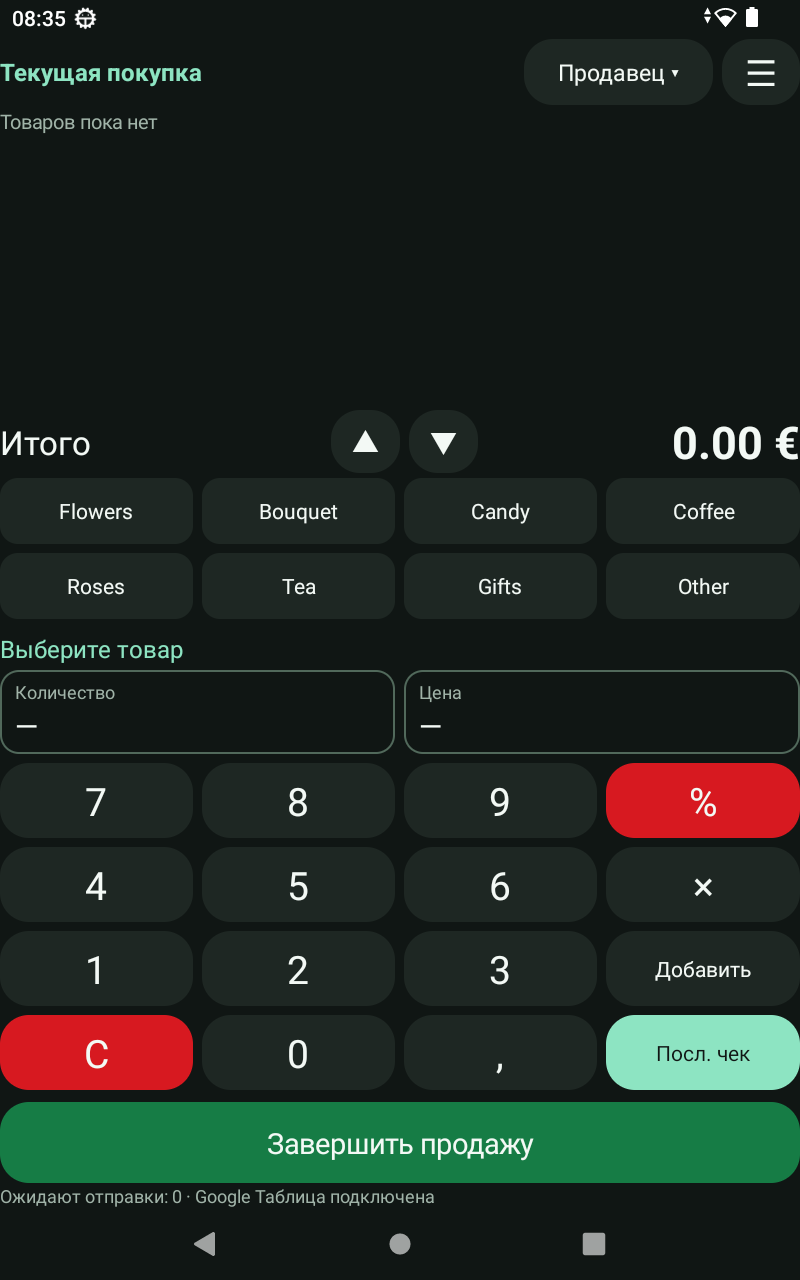
01 / At the checkout
From item to receipt.
In just a few taps.
For florists, gift shops and other small shops with a straightforward sales process.
- 01
Add items
Choose a product and enter the quantity and price. The current purchase and total stay in view.
- 02
Complete the sale
The green button saves the purchase with its shop and seller. The sale is sent to your Google spreadsheet.
- 03
Print a receipt
Print a receipt on a compatible printer. You can reprint the last receipt when needed.
02 / The owner sees the results
One day.
Every sale.
Choose a shop and date in Store Owner. See what was sold, how many purchases were made and the day's total.
Several shops can use one Google spreadsheet. Each shop has its own number, and the owner can select a shop in the report.
Items, quantities, purchase times and amounts in one report.
03 / POS for Hikvision
The sale in numbers.
The action on camera.
Store Mini sends sales text to a compatible Hikvision recorder. Product names, quantities, prices and totals appear over the checkout video.

Your interface language
Choose Estonian, Russian or English from the menu. Receipts print in Estonian, and product names use Latin characters.
Access to settings
The owner manages products and sellers. Each seller's personal PIN links completed sales to their name.
If the internet goes down
Purchases are saved on the device and wait to be sent. The owner's report includes sales that have already been uploaded.
Inventory and barcodes
Meet Store Server.
A full store management program for products and sales, with POS for Hikvision.
Get started
Store Mini for your shop.
Call us to discuss installation, your printer and the Hikvision connection.